
Finding useful products in a large sourcing spreadsheet can become surprisingly inefficient once the list contains thousands of entries. Kakobuy Spreadsheets Pro Tools are designed around that problem, turning spreadsheet-style sourcing data into a more browsable catalog where users can search, filter, inspect product information, and move toward an external ordering platform. The important question is not simply whether the interface looks easier, but which parts of the workflow actually save time—and where the underlying limitations of a spreadsheet-based catalog still matter.
This review looks at the tools from a practical sourcing perspective: navigation, search behavior, product discovery, QC interpretation, specifications, mobile use, and the point at which users leave the catalog to complete an order. It also separates information that can be evaluated on a product page from things that require additional verification before buying.
This isn’t just a spreadsheet—it’s a Live Supply Chain Index. We aggregate real-time data from Taobao, Weidian, and 1688, filtered through rigorous community quality benchmarks to help you discover only the “best-in-class” options. For easier access to Taobao listings, you can also use our Taobao link converter to quickly convert and work with product links.
Smart Search Tip: Looking for more? To find items instantly, use single-word keywords (e.g., “SHOES” or “T-SHIRT”) instead of long sentences for the best results.
Table of Contents
What the Pro Tools Actually Change
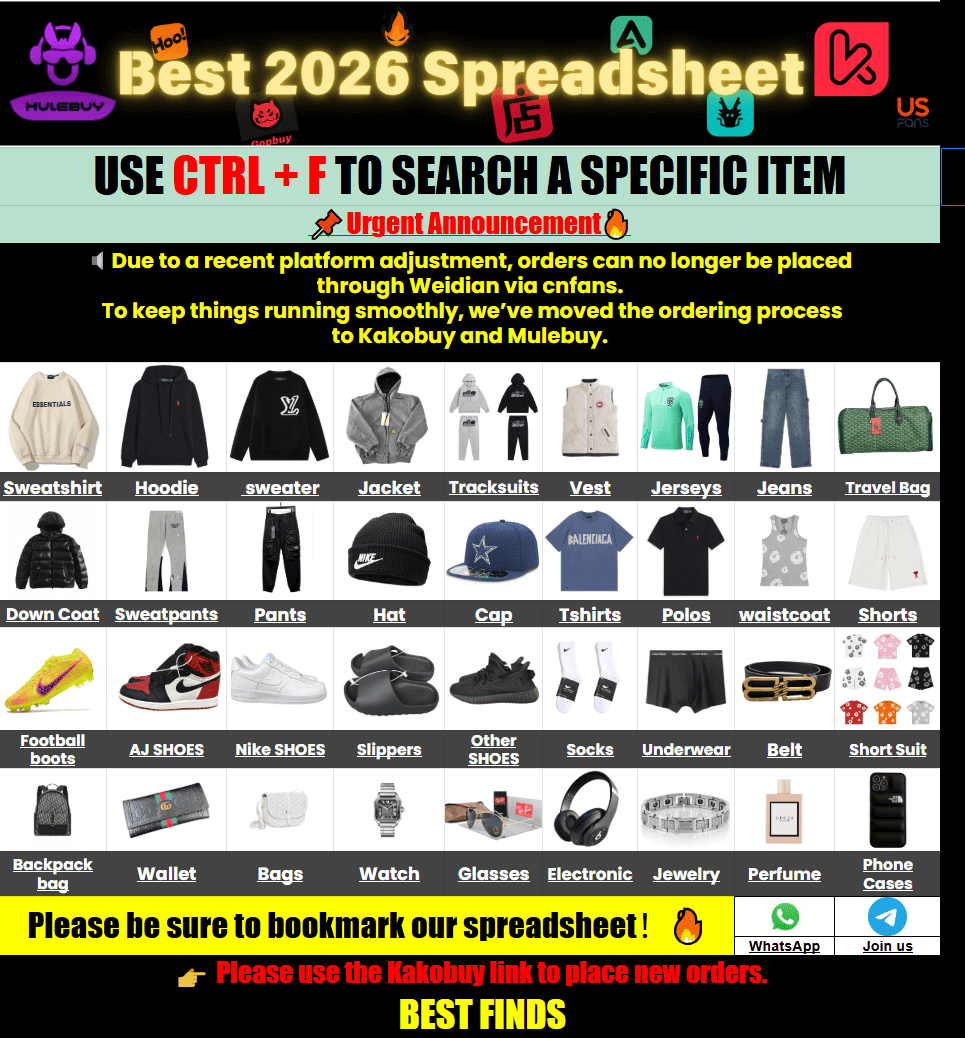
The most meaningful improvement is the shift from a raw spreadsheet workflow to a web catalog. Traditional Google Sheets are useful for storing large quantities of structured information, but browsing them can become awkward when users are switching between columns, links, images, seller information, and product categories.
A web catalog changes the browsing sequence. Instead of treating every row as a data record, shoppers can approach the information more like an ordinary product directory:
- Start with a product category or keyword.
- Scan visual product listings rather than reading rows of cells.
- Open individual products for more sourcing information.
- Compare potentially useful listings before deciding which deserves further checking.
- Follow the external buying path when ready to order.
That distinction matters because the site is primarily a discovery and sourcing-information layer. It should not be confused with the external agent or marketplace that ultimately processes the purchase, payment, warehouse handling, and international shipment.
For shoppers who prefer browsing by visual category, the Kako buy spreadsheet 2026 catalog provides a more conventional starting point than opening a large spreadsheet and manually scanning rows.
Where the Catalog Is Most Useful
The tools are particularly useful when the user has a broad sourcing objective rather than one precise product already identified. For example, someone searching for footwear may want to compare different silhouettes, colorways, construction details, or seller listings before opening an external shopping platform.
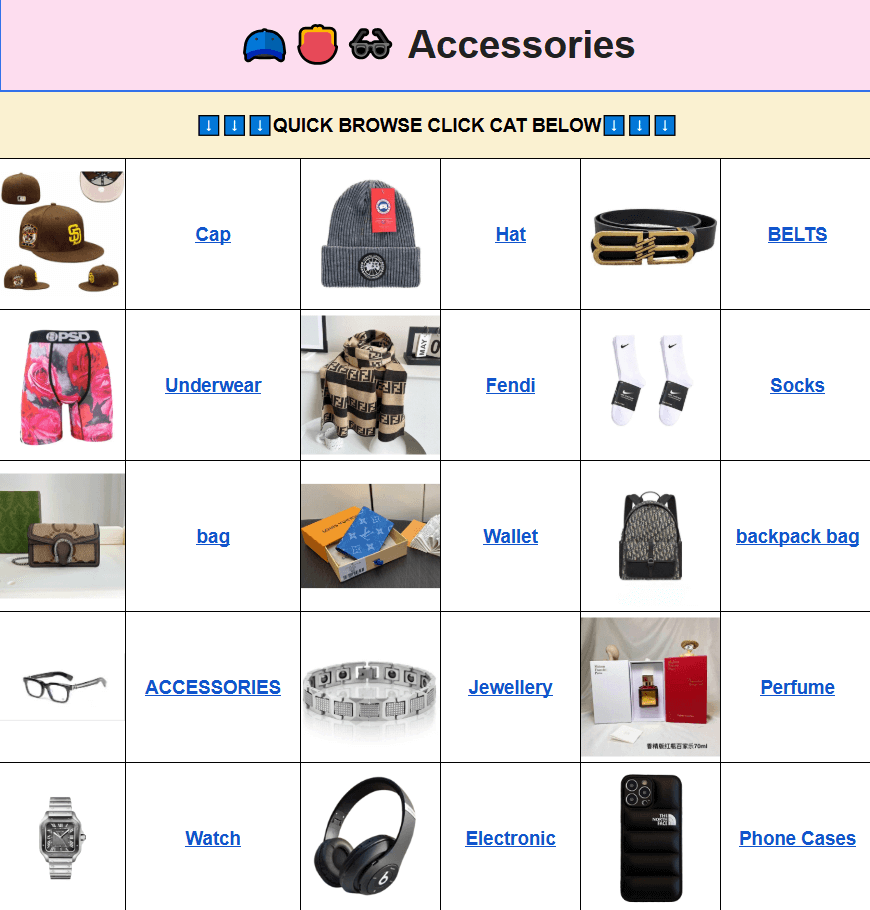
The same principle applies to smaller product groups such as bags, hats, jewelry, belts, or other accessories. A category page gives the shopper a faster way to establish what is available before spending time on individual listings.
For footwear research, the Kakobuy Spreadsheet Shoes section is a practical example of category-first browsing. The value is not that a category page automatically determines which item is best; it reduces the amount of manual searching needed to reach a shortlist.
From a sourcing perspective, that distinction is important. A catalog can improve discovery efficiency without eliminating the need for product-level judgment.
| Tool or feature | Useful for | Limitation |
|---|---|---|
| Category navigation | Reducing a large product universe into a manageable group | Categories do not replace product-level inspection |
| Keyword search | Finding products quickly when the search term is specific | Different sellers may describe similar products differently |
| Product pages | Reviewing available images and sourcing information | Listed information may not answer every quality question |
| Visual browsing | Comparing styles, colors, shapes, and visible construction | Photos cannot establish every material or performance characteristic |
| External buying link | Moving from discovery to the purchasing workflow | The final transaction occurs outside the catalog |
How Search and Navigation Affect Sourcing
Search quality is one of the most important practical factors in any large product directory. A common mistake is to type a complete sentence describing what you want. Spreadsheet-derived product data usually works better when the query is reduced to a recognizable product term.
For example, a shopper looking for athletic footwear could start with a short keyword such as “SHOES” and then narrow the results visually. Someone looking for accessories can use a similarly direct term rather than entering a long description containing several style requirements.
This workflow is especially useful when the exact seller terminology is unknown. Instead of trying to predict how an individual listing was named, start broad, inspect the available results, and then refine the search using information discovered during browsing.
There is another useful habit: do not treat the first attractive result as the final selection. Open several listings and compare the information that is actually available. Look for differences in photos, measurements, construction details, colors, seller-provided specifications, and available options.
A practical browsing sequence looks like this:
- Search broadly: use a short product keyword.
- Filter visually: remove listings that clearly do not match your intended style or specification.
- Open several candidates: compare rather than selecting from one thumbnail.
- Check measurable information: measurements and dimensions are more useful than generic size labels.
- Review QC evidence: identify what the available images actually show.
- Verify the external purchasing path: confirm the current seller link and ordering conditions before committing.
What Product Pages Can—and Cannot—Tell You
QC information is valuable because it can reveal visible problems before an item reaches the international shipping stage. However, photographs have a defined evidentiary limit. They are useful for inspecting appearance, but they cannot establish every property of a product.
When reviewing available QC or product images, pay attention to details such as:
- stitching that appears uneven or incomplete;
- obvious scratches, marks, stains, or surface defects;
- misaligned graphics or visibly inconsistent printing;
- color differences between panels where the lighting permits comparison;
- shape and symmetry;
- zippers, buckles, buttons, and other visible hardware;
- shoe sole construction and visible bonding;
- labels, tags, and packaging condition where photographs show them clearly.
For accessories, dimensions and hardware placement can be particularly useful. For footwear, sole shape, visible construction, and the relationship between the listed size and measured insole or foot-length information deserve attention.
What QC images generally cannot prove is equally important. A photograph does not definitively establish fabric composition, long-term durability, chemical composition, months of comfort, or performance under repeated use. It also should not be treated as definitive proof of authenticity.
The safest interpretation is therefore: QC photos provide visual evidence, not a complete laboratory or long-term performance assessment.
Specifications Still Need Manual Checking
The web interface can make product discovery easier, but it cannot remove one of the oldest sourcing problems: manufacturers use different measurements and sizing systems.
Generic labels such as S, M, L, XL, or EU shoe sizes should be treated as starting points rather than universal measurements. When the seller provides actual dimensions, compare those numbers with an item you already own or with your own measurements.
| Product type | Useful measurement | What to compare |
|---|---|---|
| Clothing | Chest, shoulder, sleeve, length | Compare with a similar garment you already wear |
| Pants | Waist, hip, rise, inseam | Compare with a measured pair rather than the printed size |
| Shoes | Foot length and insole length | Check the seller’s measurement chart and your own foot measurement |
| Bags | Length, width, height, strap length | Check whether the dimensions fit the intended use |
| Accessories | Overall dimensions and product weight | Consider fit, storage, and shipping implications |
Measurements also help identify listings that look similar but are intended for different use cases. Two bags may have almost identical photographs while having substantially different dimensions. Likewise, two pairs of shoes carrying the same nominal size can have different internal measurements.
If a product page does not provide the specification you need, do not invent a conclusion from the photograph. The better approach is to treat the missing information as something that needs verification before purchase.
What Changes for International Buyers
The catalog itself is only one stage of the process. Once a user moves toward an external shopping agent, additional variables become relevant: domestic seller availability, warehouse handling, parcel consolidation, international shipping, destination restrictions, and customs procedures.
For buyers in the US, Canada, UK, EU, Australia, New Zealand, and other destinations, the exact process can differ. Customs treatment, VAT or GST, carrier options, and delivery conditions depend on the destination and the shipping service selected.
Do not assume that a shipping method available to one country will operate identically elsewhere. Rules also change, so current government or carrier guidance should be checked when the shipment involves taxes, restricted goods, biosecurity requirements, or other destination-specific requirements.
Parcel weight can become another sourcing consideration. A low-cost product does not necessarily produce a low-cost international shipment, particularly when multiple items are consolidated or when volumetric weight is relevant. Before shipping, users should review the agent’s current calculation method and available routes rather than relying on an old estimate.
There is also a useful separation between product selection and shipping optimization. The catalog helps answer “Which products should I investigate?” The external ordering platform is where the buyer must evaluate the current shipping and fulfillment choices.
The Main Limitations and Best Use Case
The biggest limitation is that a web catalog does not magically turn incomplete source data into complete product intelligence. If the original listing lacks measurements, detailed material information, or useful photographs, the catalog cannot reliably manufacture those details.
Search terminology can also create edge cases. A seller may use a different naming convention from the keyword a shopper expects, meaning that a single search should not necessarily be treated as exhaustive. Short keyword searches work well as a starting point, but browsing related categories and trying sensible variations can uncover additional results.
Another limitation is the external-ordering boundary. Users may discover a product through the catalog, but the actual purchase process occurs elsewhere. Current prices, seller availability, warehouse services, payment methods, shipping routes, and refund procedures therefore need to be checked at the time of ordering.
For that reason, the strongest use case is not “find a product and buy immediately.” It is a more deliberate workflow:
- Use the catalog to reduce search friction.
- Build a shortlist of potentially suitable products.
- Compare measurable specifications.
- Inspect available QC evidence carefully.
- Verify seller and ordering information through the external purchasing workflow.
- Review current shipping and destination requirements before shipment.
This makes the tools particularly useful for users who already understand that sourcing is a comparison exercise. The interface can make the information easier to navigate, while the final decision still depends on the quality and completeness of the underlying listing data.
FAQ
What are Kakobuy Spreadsheets Pro Tools mainly designed to do?
Q: What are Kakobuy Spreadsheets Pro Tools mainly designed to do?
A: They are designed to make spreadsheet-based sourcing information easier to browse through a web catalog. The emphasis is on discovery, search, category navigation, product comparison, and access to sourcing information before users move to an external ordering platform.
Can QC photos confirm product quality?
Q: Can QC photos confirm product quality?
A: They can reveal visible issues such as stitching problems, marks, shape irregularities, print alignment, hardware condition, and other photographic details. They cannot reliably prove long-term durability, exact material composition, comfort over time, or every hidden construction detail.
Why should I compare measurements instead of relying on size labels?
Q: Why should I compare measurements instead of relying on size labels?
A: Manufacturers and batches can use different sizing conventions. Actual measurements such as foot length, insole length, chest width, waist, hip, sleeve length, or garment length provide a more useful basis for comparison than assuming your usual retail size will transfer directly.
Does the catalog complete the international purchase?
Q: Does the catalog complete the international purchase?
A: No. The website primarily functions as a product discovery and sourcing-information platform. The purchase, payment, warehouse handling, international shipping, and related fulfillment steps are handled through the external ordering platform.
What is the biggest limitation of the tools?
Q: What is the biggest limitation of the tools?
A: The interface can improve access to information, but it cannot compensate for missing or ambiguous source data. Users still need to verify important measurements, seller information, current availability, QC evidence, and shipping conditions before ordering.
Are short search keywords really better for this type of catalog?
Q: Are short search keywords really better for this type of catalog?
A: They are a useful starting point because product databases often contain concise category or item terms rather than natural-language descriptions. If the first search is too narrow, try a broader product term and then refine the results manually.
Overall, the value of Kakobuy Spreadsheets Pro Tools is best understood as search and sourcing efficiency rather than automated purchasing intelligence. The web catalog removes some of the friction associated with browsing large spreadsheet datasets, while product-level judgment remains essential. Users who combine fast discovery with careful specification checks, realistic QC interpretation, and destination-aware shipping research are more likely to get useful results from the workflow.