
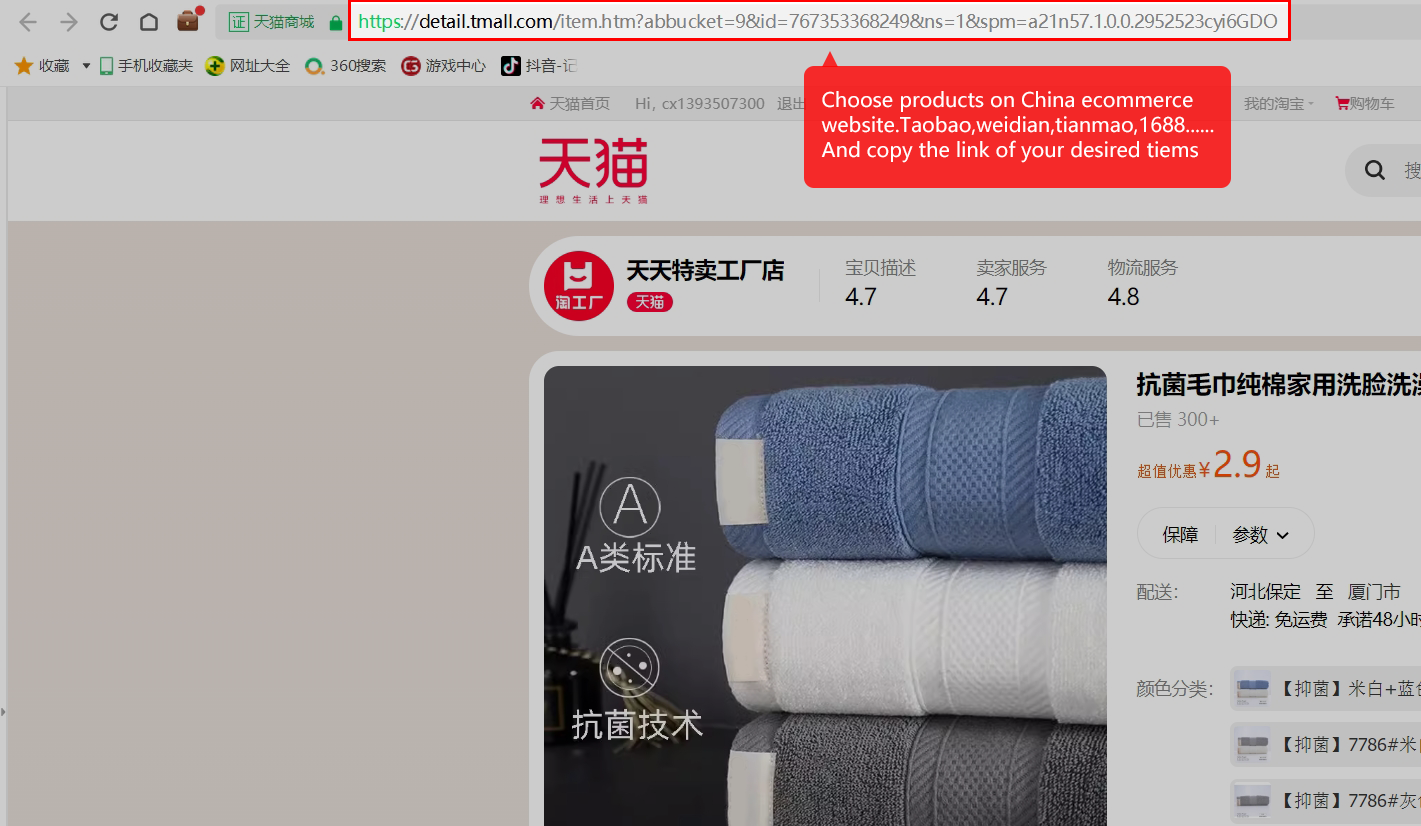
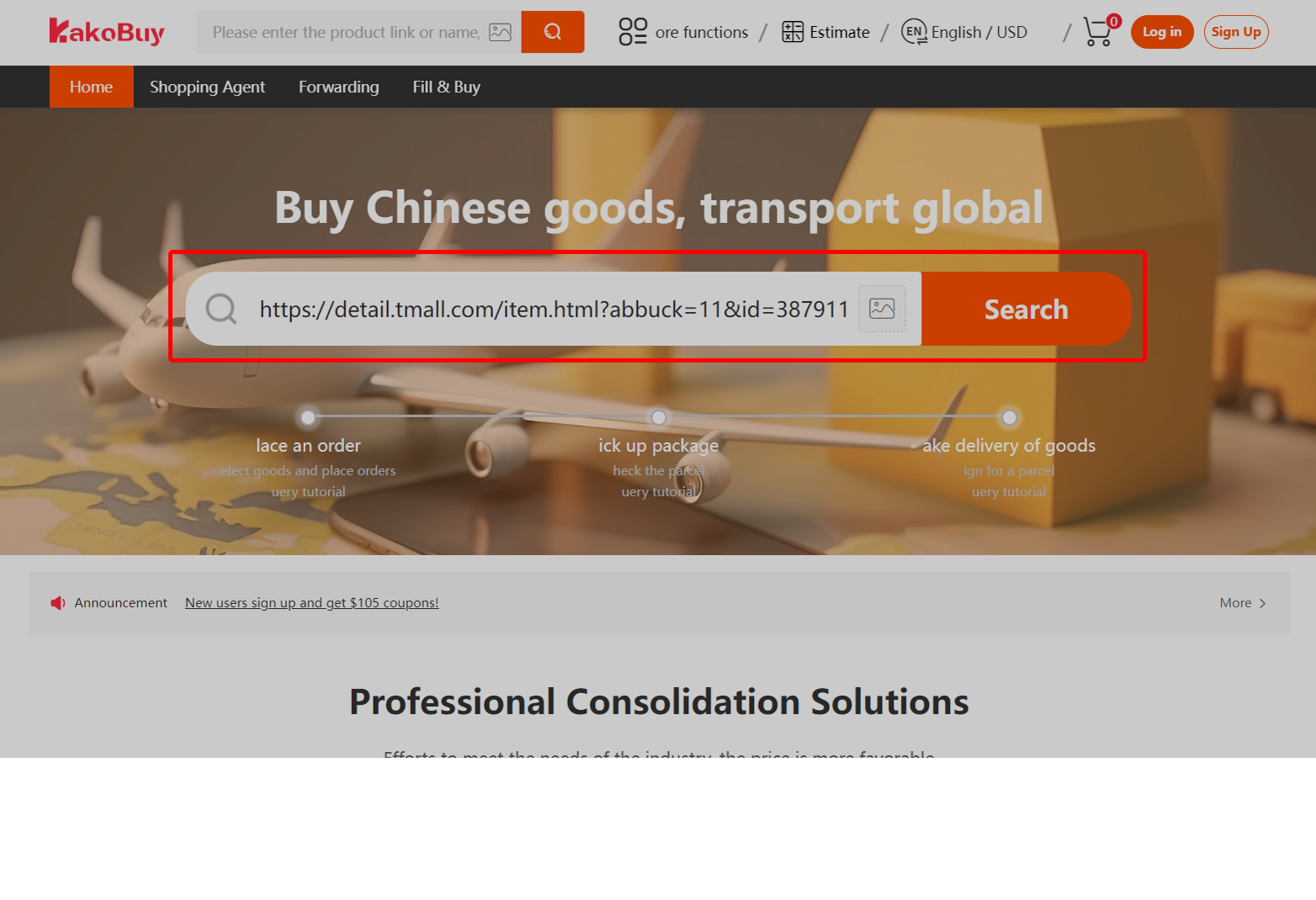
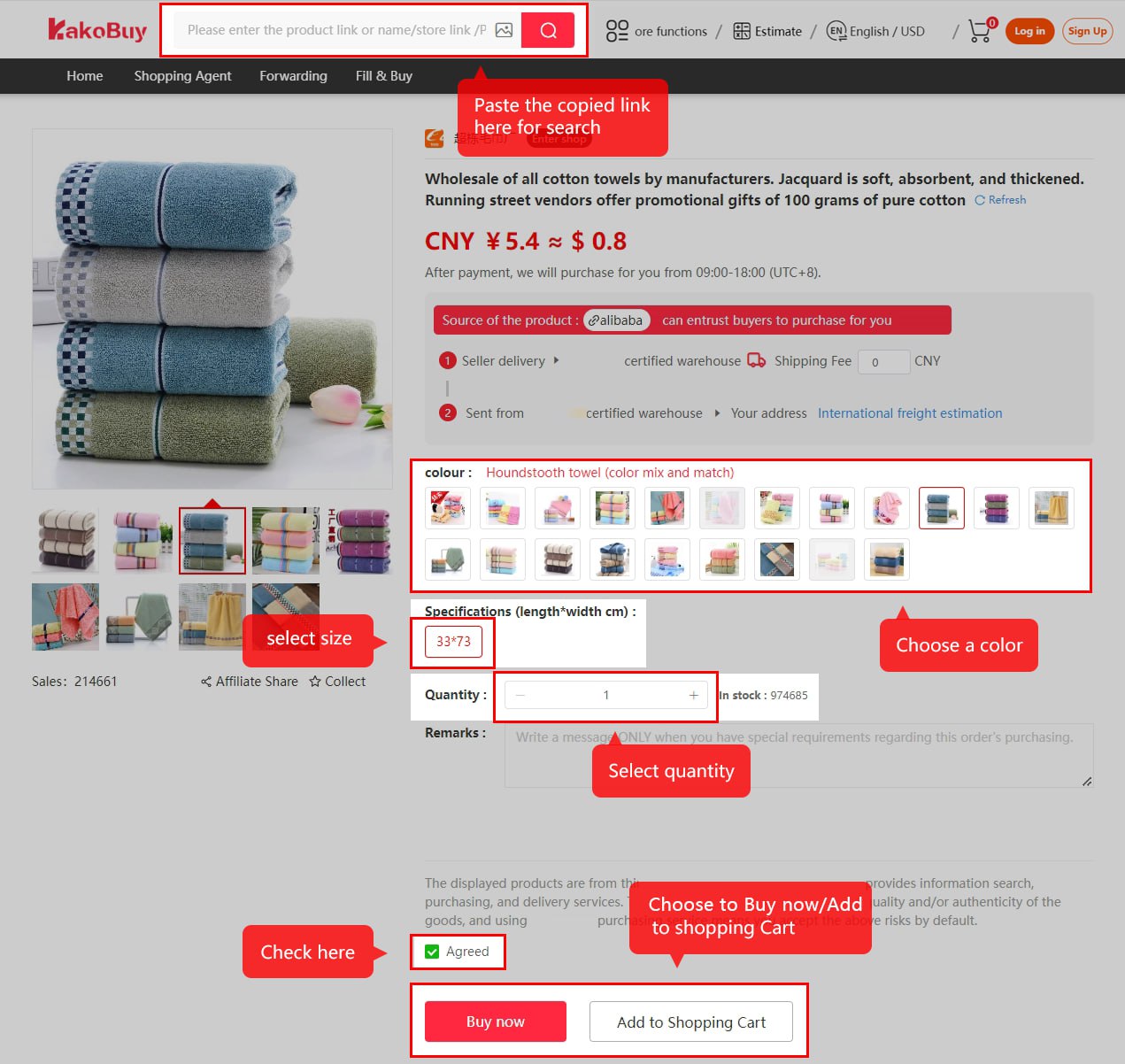
Select products from Chinese e-commerce websites and copy the link to the product you want. Then paste the link into the search box of Kakobuy.
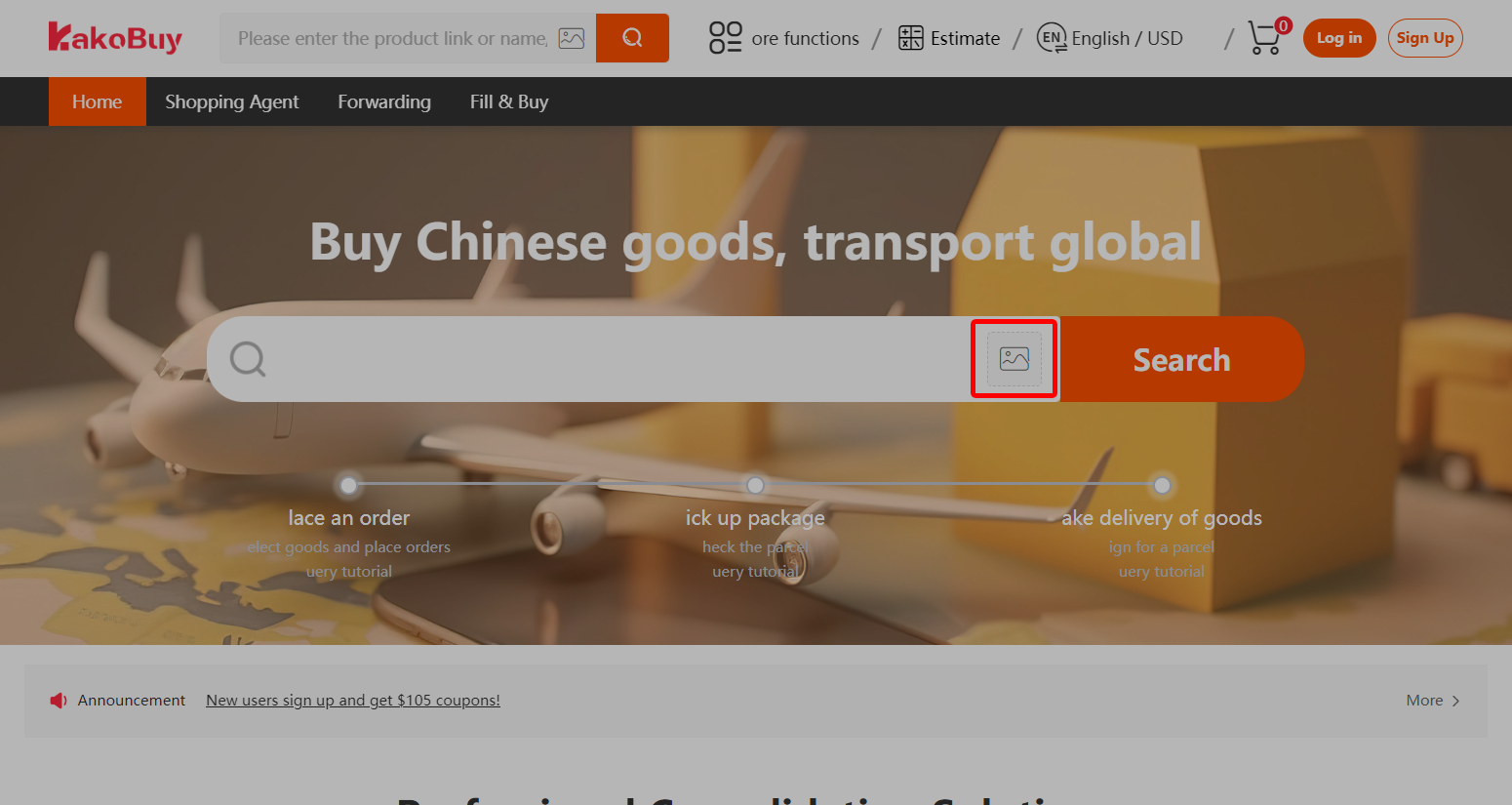
Upload the product images that need to be purchased directly to this location.
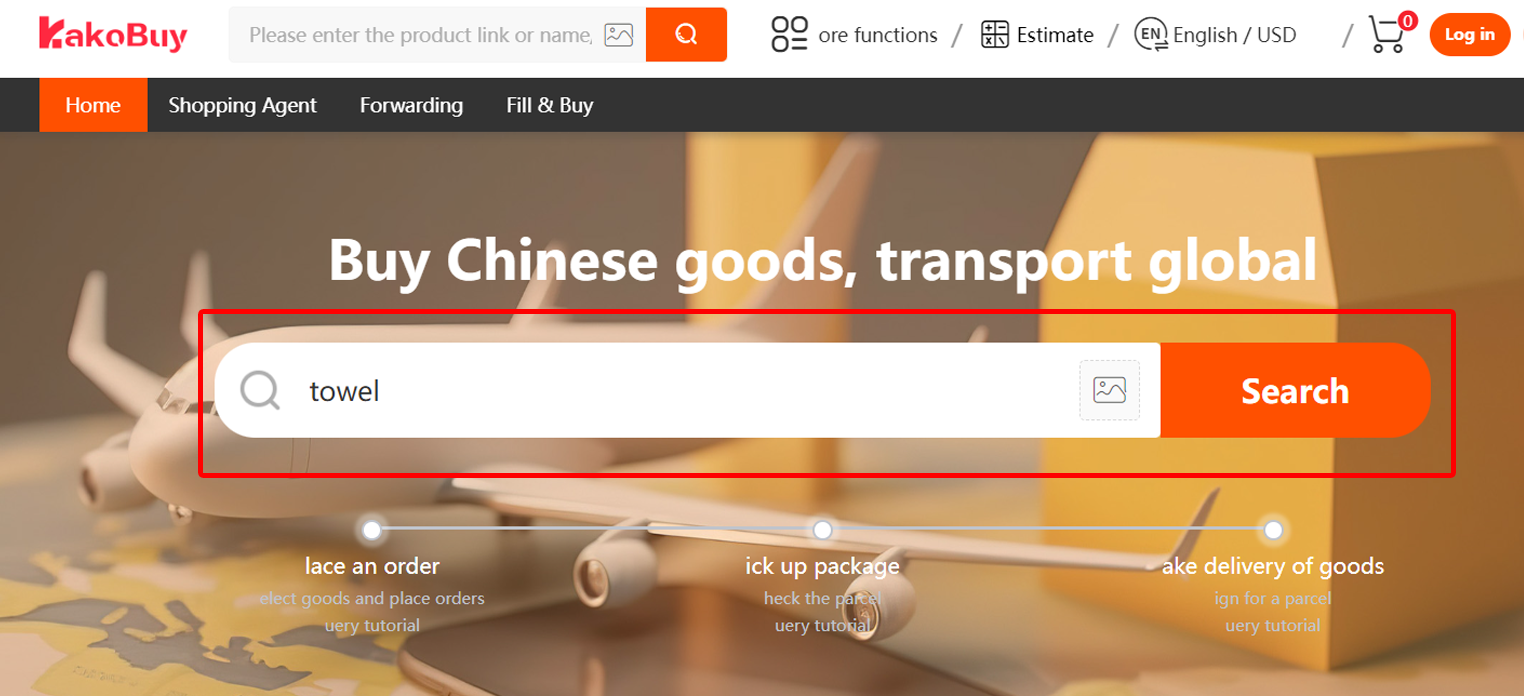
Method 3Enter the product name in the Kakobuy search box and select from the recommended products on Taobao, Tmall, JD.com, and 1688.
Tips:
1. Currently only support 1688, Taobao, Tmall, JD platform product information search.
2. Other platforms (weidian, wechat seller, xianyu, yupoo, etc.), directly into “Looking for Goods” , fill out the order form manually.
STEP 2 SUBMIT A PURCHASING ORDER
Method 1
Paste the website of the product details page in the Kakobuy search bar, click search, and the system will automatically capture the product information. Then, manually select the color, size, and other information, and submit it to the Kakobuy shopping cart or purchase directly.
Method 2
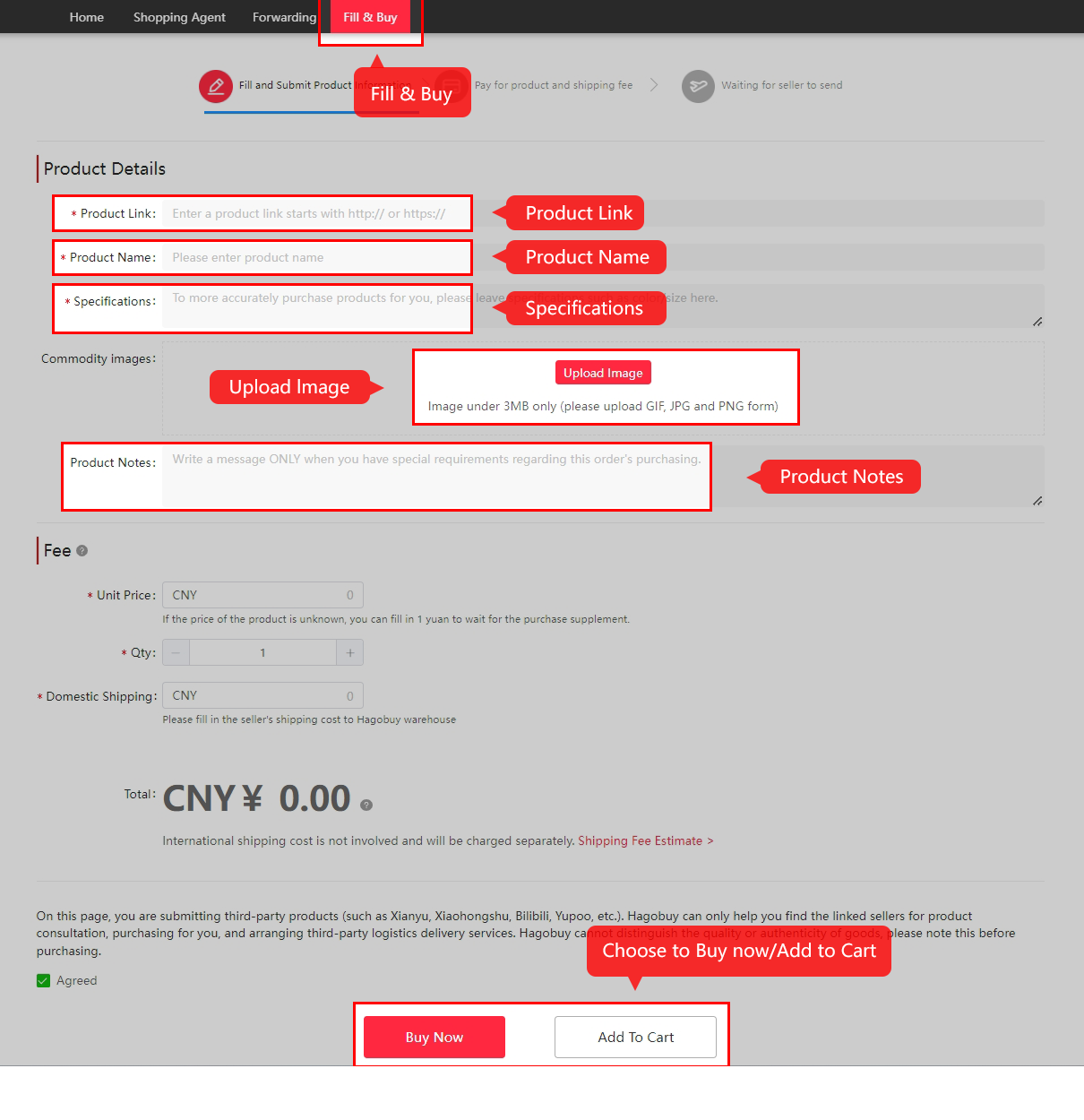
When purchasing the above platform products, if the “Fill in Purchase Order Page” appears, you need to independently fill in the product order information and click “Add to Cart” or “Buy Now”.
Tips:
1. International logistics has restrictions on the delivery of some items, please pay attention to the restrictions and risk warning.
2. 1688 products have a minimum purchase limit, so please pay attention to the seller’s minimum quantity set.
3. Item from Wediian, Wechat seller, Xianyu, yupoo website, directly into “Looking for Goods”, fill out the order form manually.
STEP 3 SETTLEMENT OF DOMESTIC EXPENSES
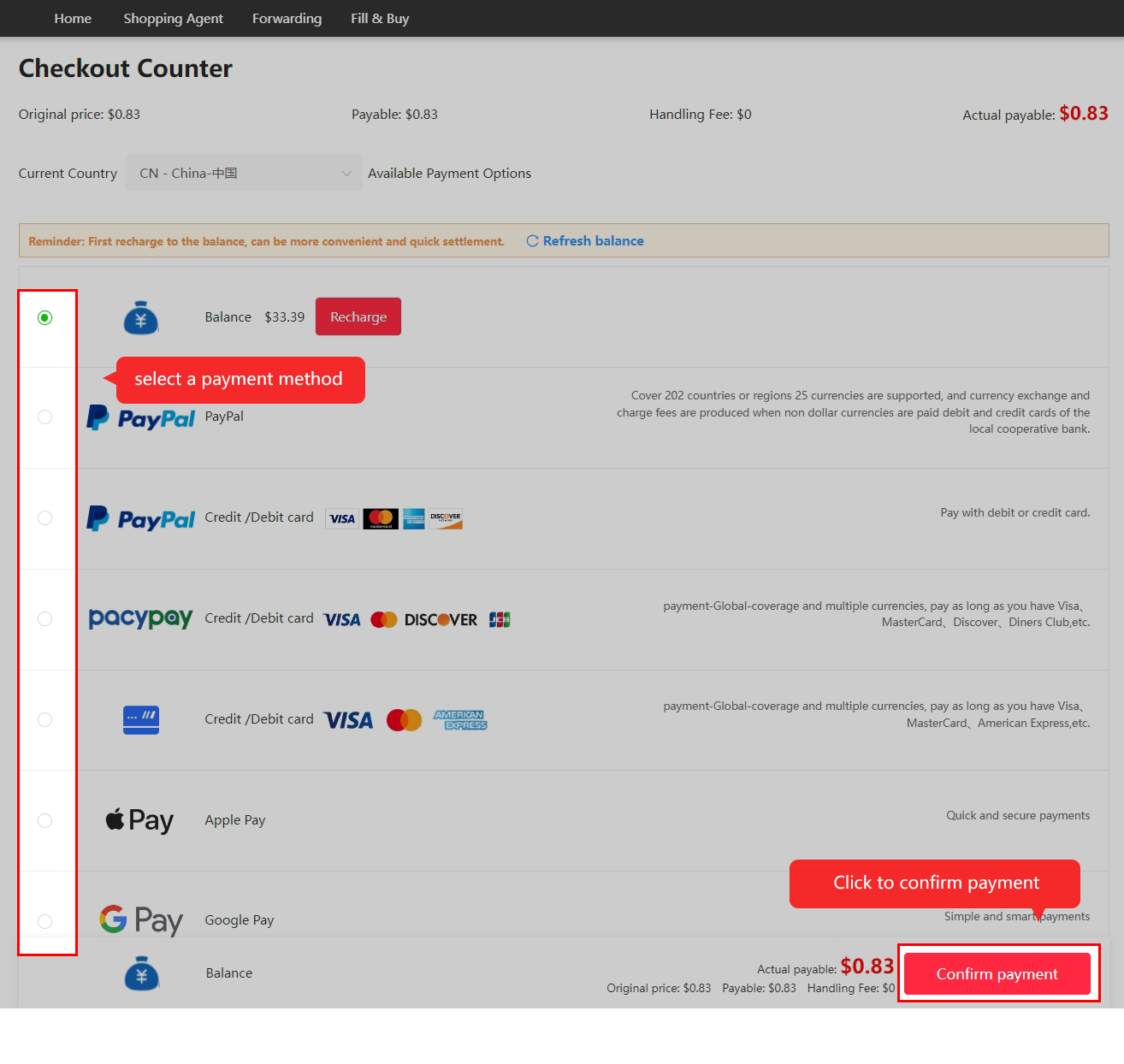
Settle the cost of goods and domestic postage, click submit, and generate a purchasing order.
Tips:
1. Support multiple currencies and payment methods, including Paypal, WeChat, Alipay.
STEP 4 KAKOBUY REVIEWS ORDERS AND ORDERS
After you submit the order and successfully make the payment, we usually review the order within 3-5 working hours. After the review is approved, we will place the order for you and wait for the merchant to ship it. The domestic logistics cycle is generally about 3-5 days.

Tips:
1. You can contact the purchaser through “Member Center” – “My Orders” – “Message” if you have any additional requirements or details during the order process.
STEP 5 KAKOBUY QUALITY INSPECTION AND STORAGE
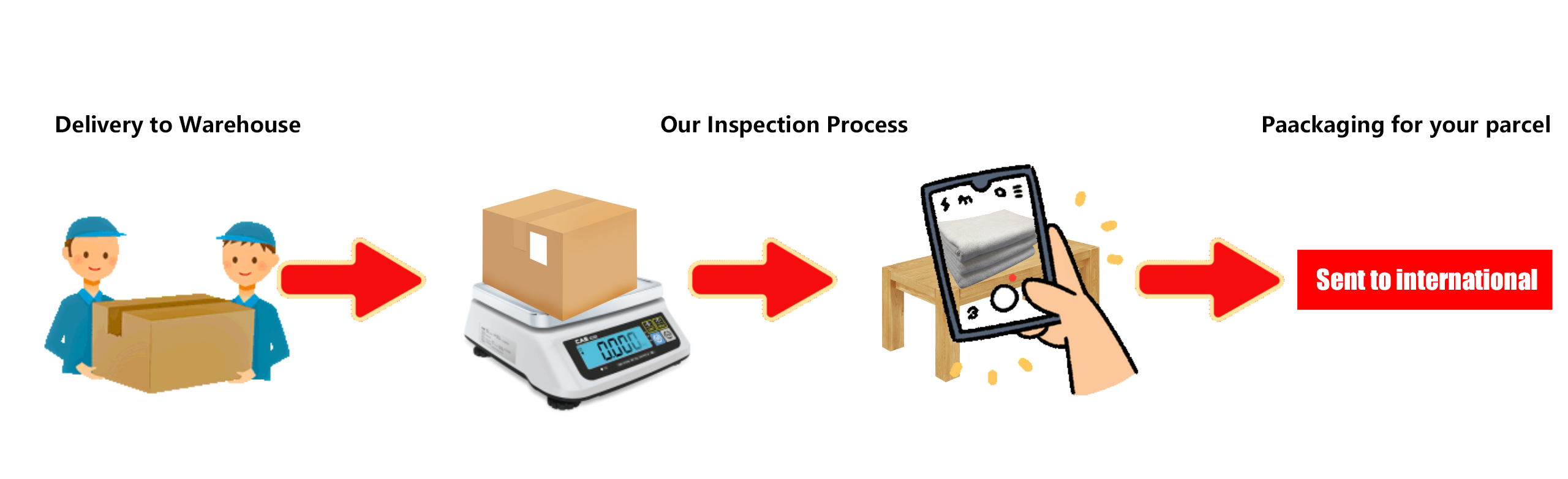
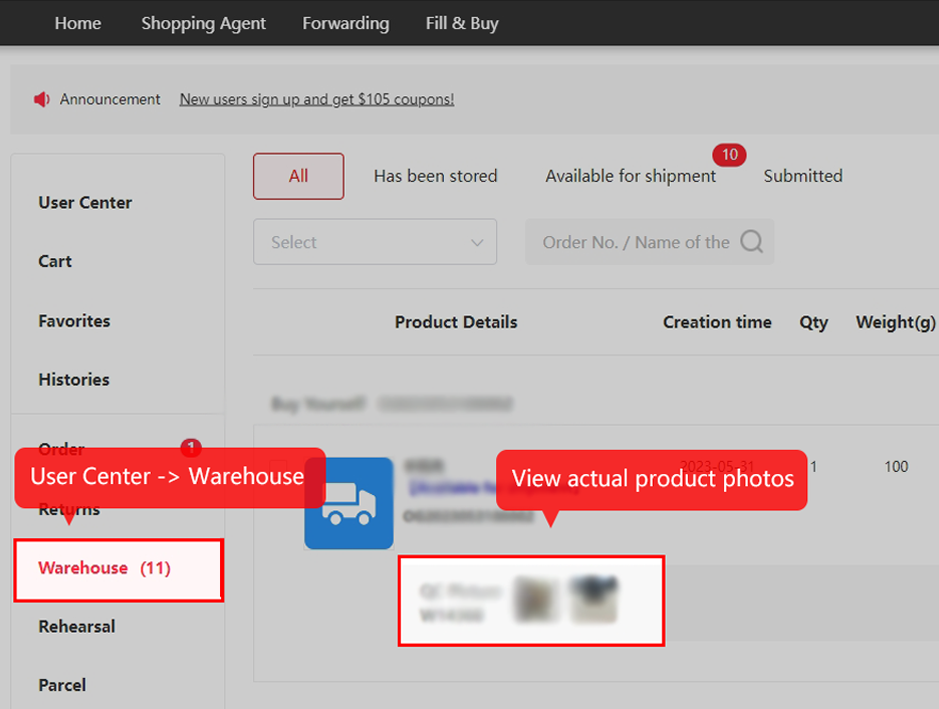
Quality control will be carried out and items will be stored in the warehouse. You can check the status of your products by accessing “My Account” and selecting “Orders”/“Warehouse”.
Tips:
1. When signing for quality inspection, KAKOBUY will strictly adhere to the inspection criteria and take pictures of the items for you to view, if we find any problems, we will give you feedback and help you solve them.
STEP 6 PAY INTERNATIONAL SHIPPING FEES
Enter the “User Center” – “My Warehouse” to submit a package waybill, fill in the shipping address, select the logistics method, settle international freight service fees, customs clearance fees, and other related fees. If there are requirements for unpacking, reinforcing, or removing labels, you can also check the corresponding services. We will package and ship according to your requirements.
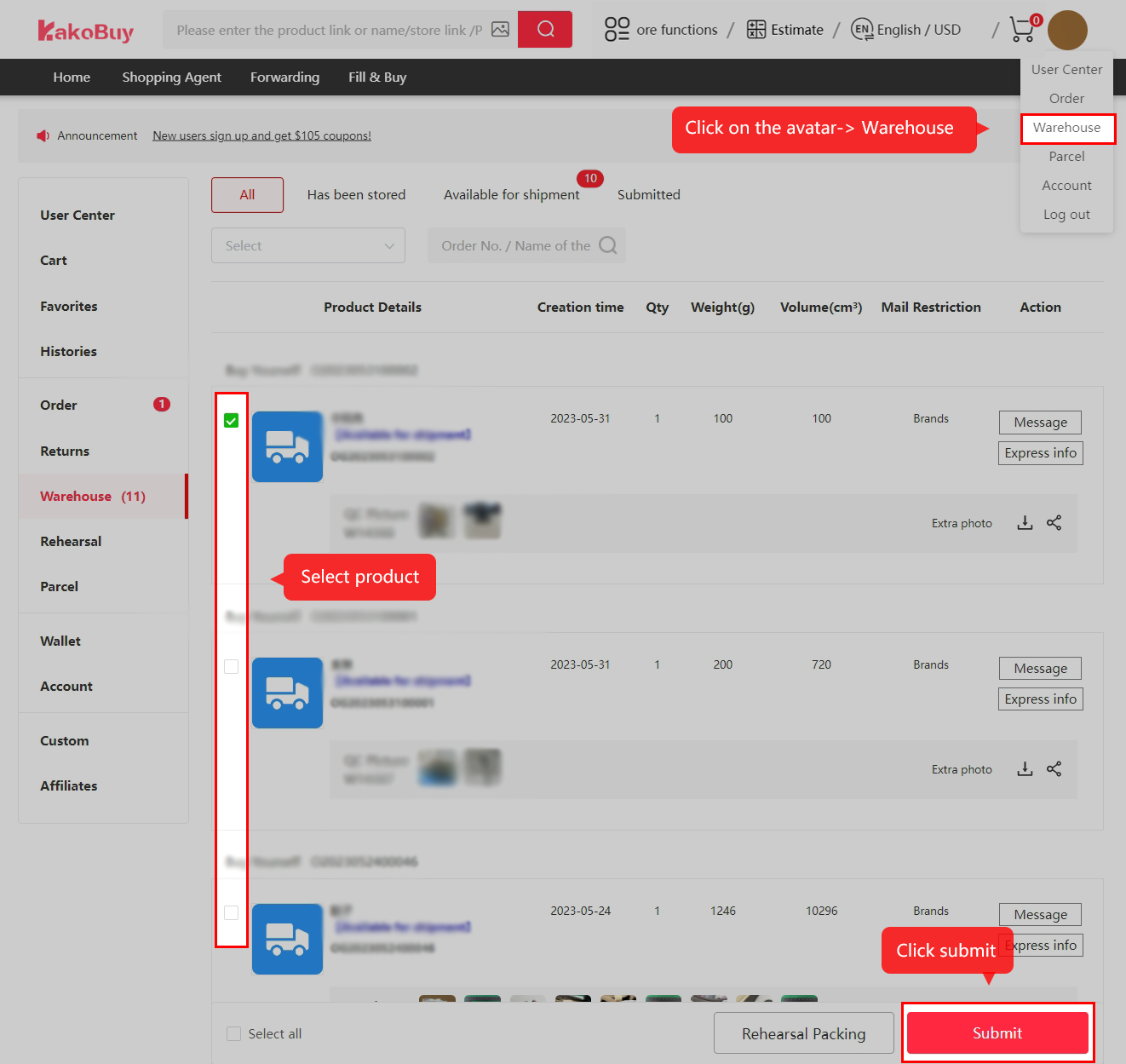
Figure 1
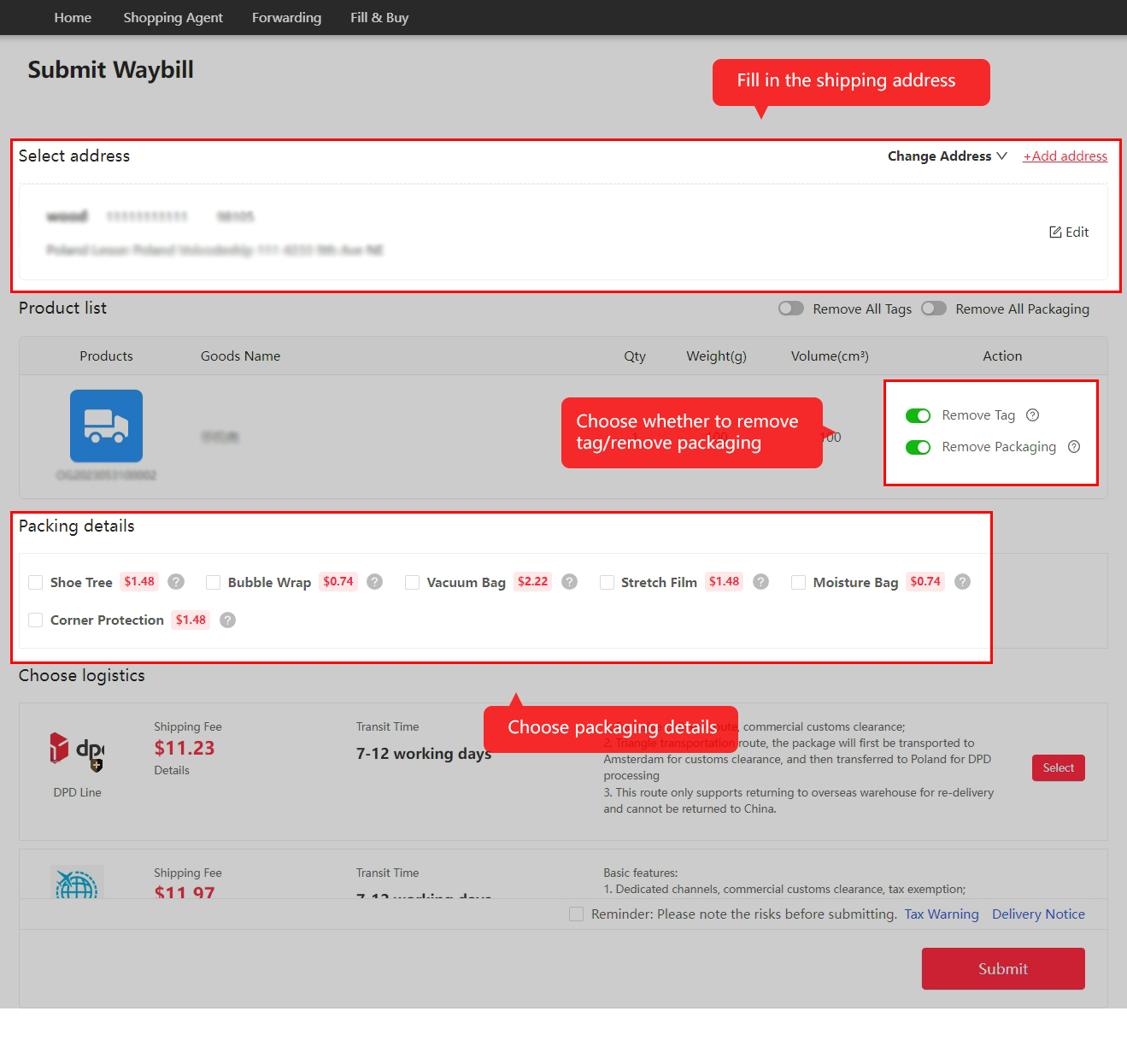
Figure 2
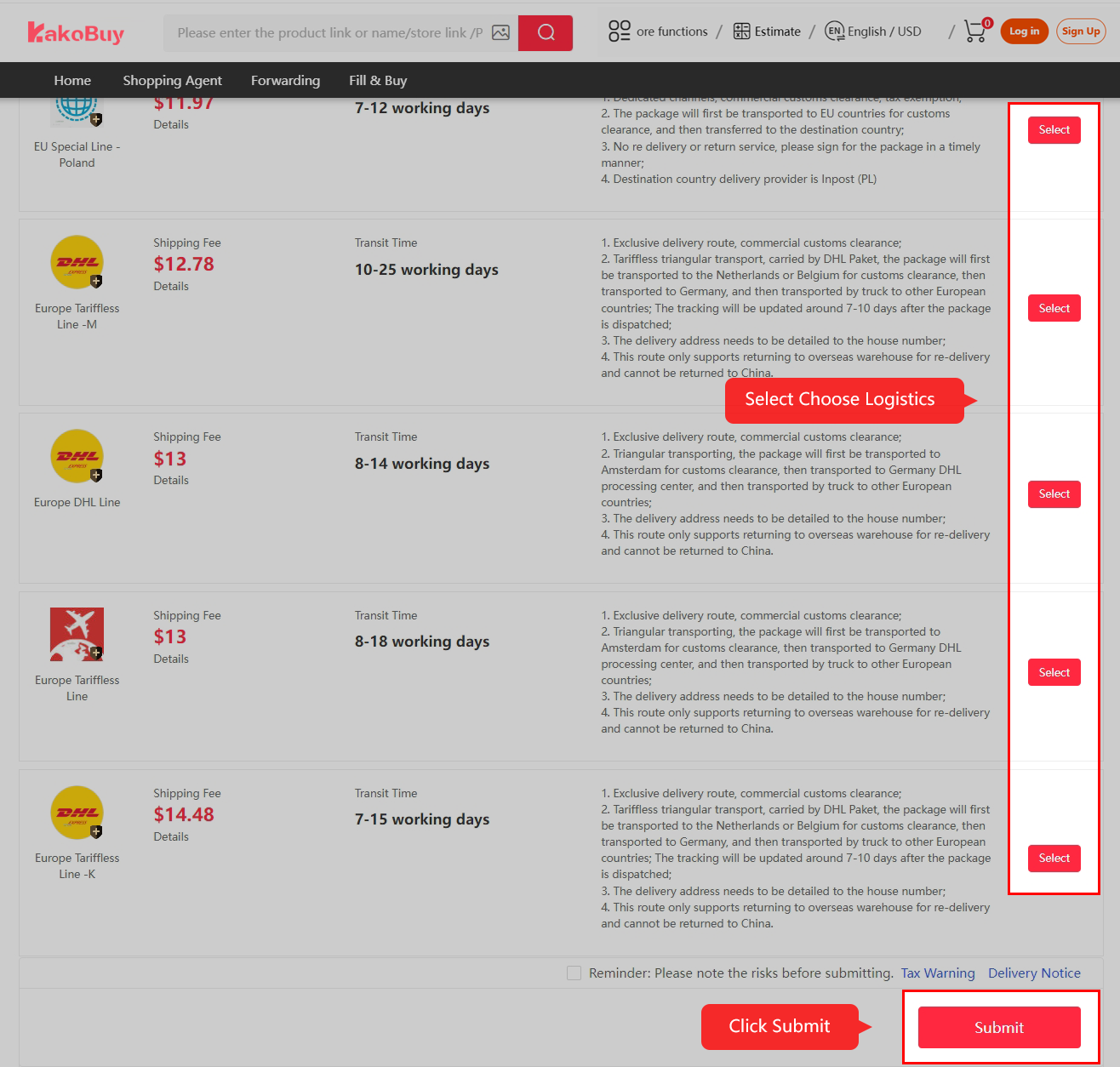
Figure 3
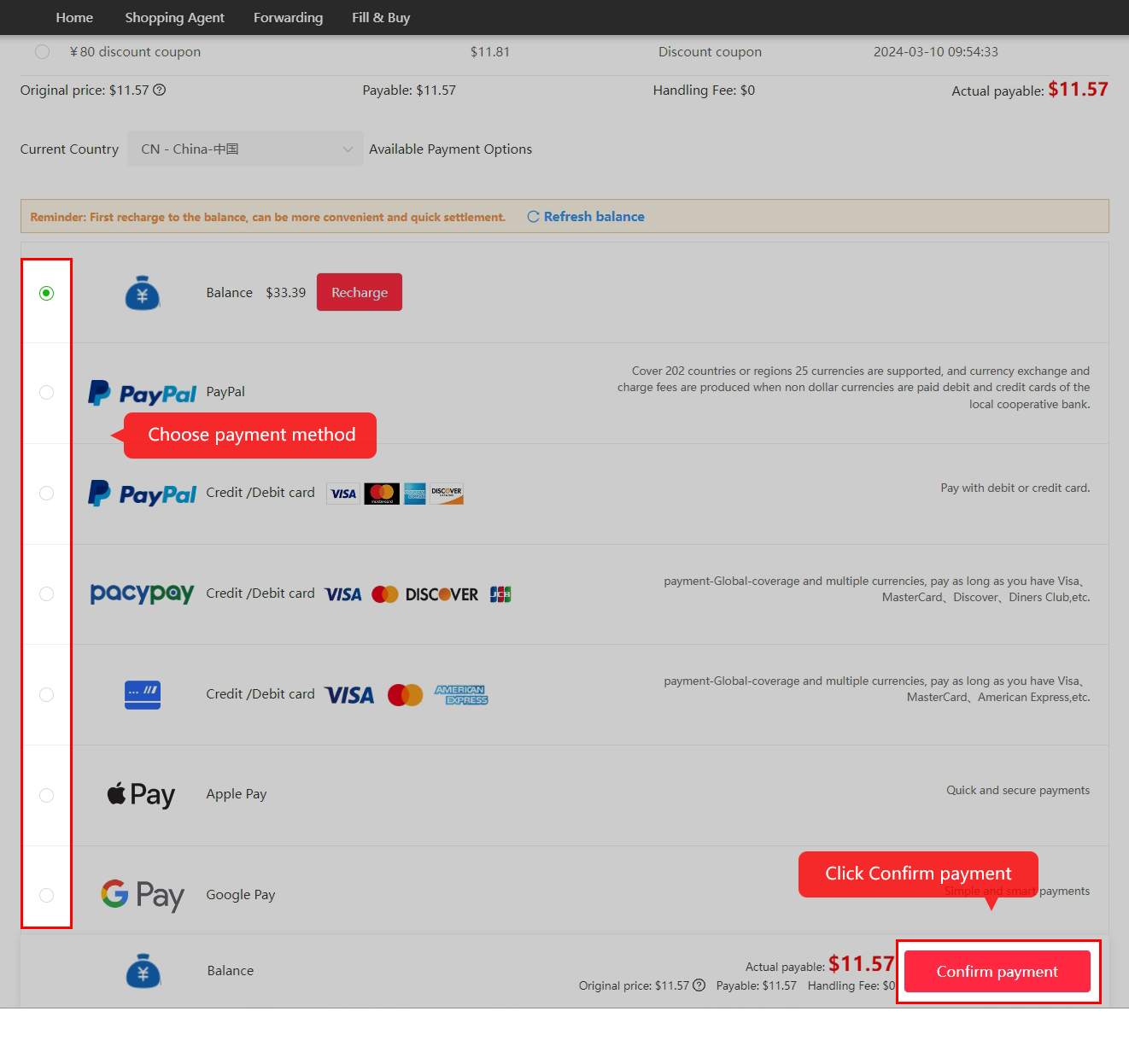
Figure 4
Tips:
1. 100 days free storage service at KAKOBUY warehouse.
2. Purchase more items and ship together, saving you more international shipping costs.
3. Some products are subject to shipping restrictions, KAKOBUY has screened the available logistics routes for you, you can choose from them!
4. International shipping costs are calculated based on the estimated weight of the items, the shipping method selected, and the shipping area.
5. The difference in shipping costs will be refunded to your KAKOBUY account after shipment.
- STEP 7 KAKOBUY OUTBOUND SHIPPING
After the package is sent out, you can track your package in “My Account” – “Package”.
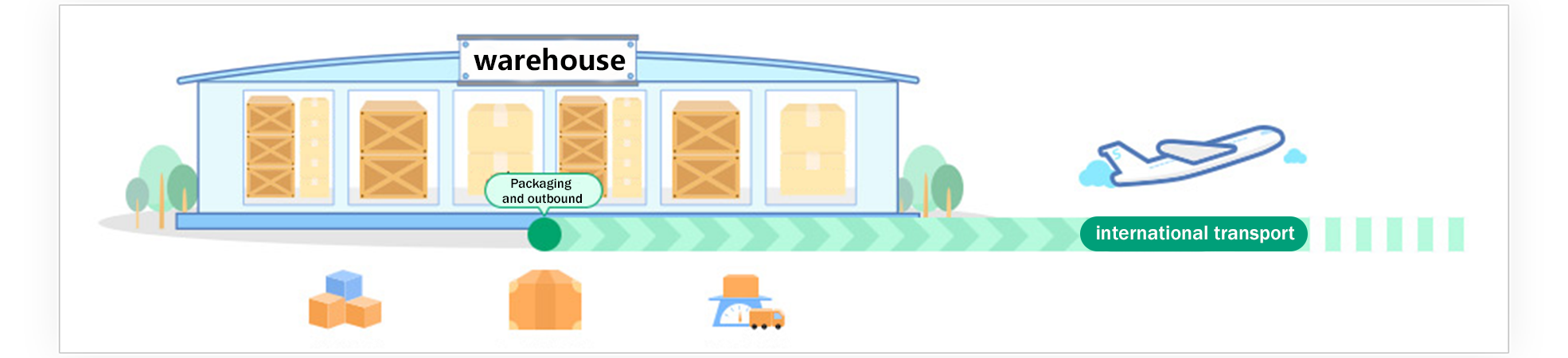
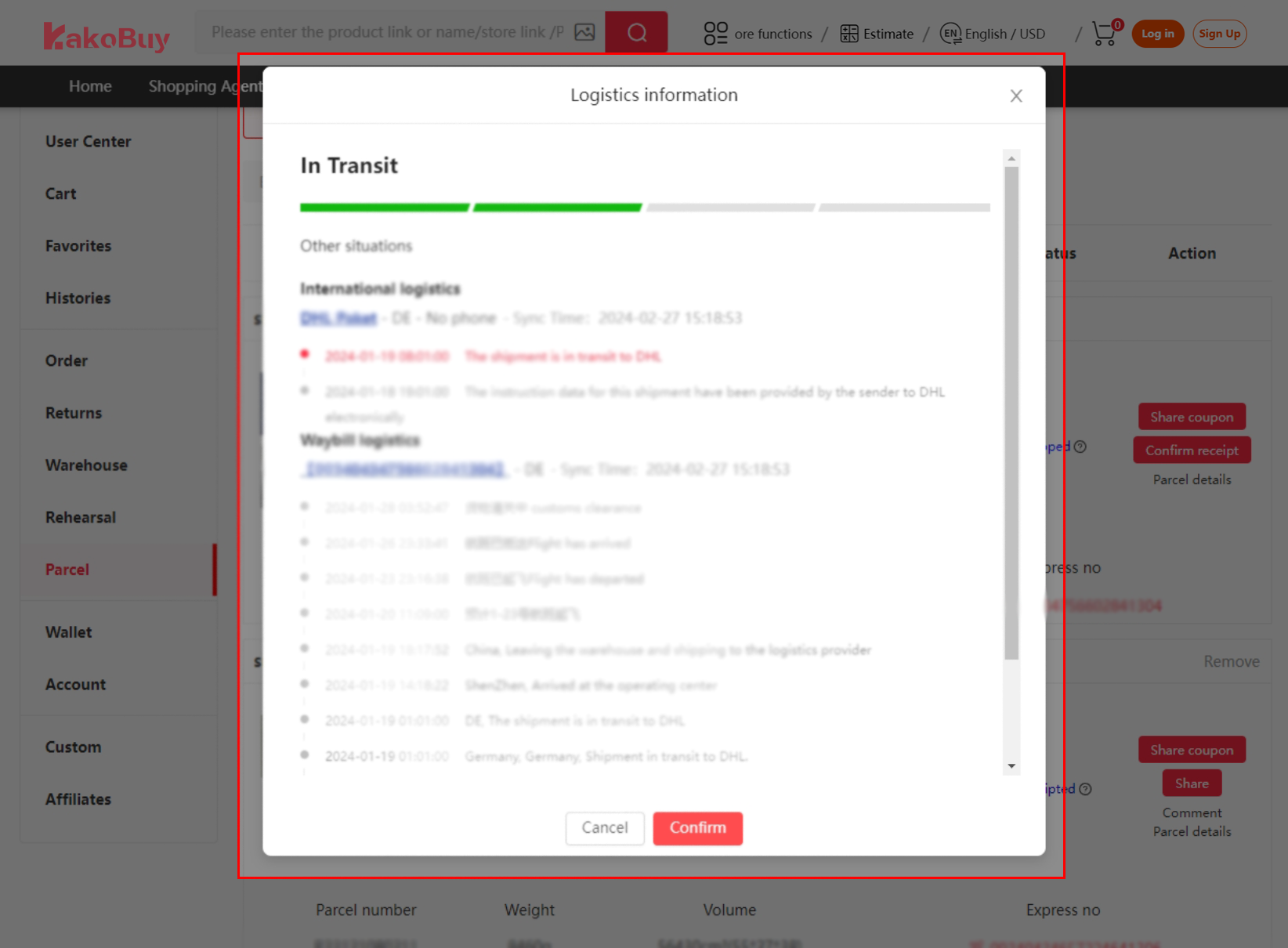
Tips:
1. KAKOBUY can provide services related to remove packing/strengthening/insurance, and you can choose value-added services according to your needs.
2. In the process of sending international parcels, accidents may occur with a small probability, such as time delay, tax duty, damage, seized and lost, etc. KAKOBUY is unable to control and avoid service quality and unexpected problems of third-party logistics providers and national customs, but in the spirit of responsible customer service, KAKOBUY will inform and warn in advance according to the conditions of each route and country. And to actively assist with issues as they arise.
- STEP 8 CONFIRM RECEIPT
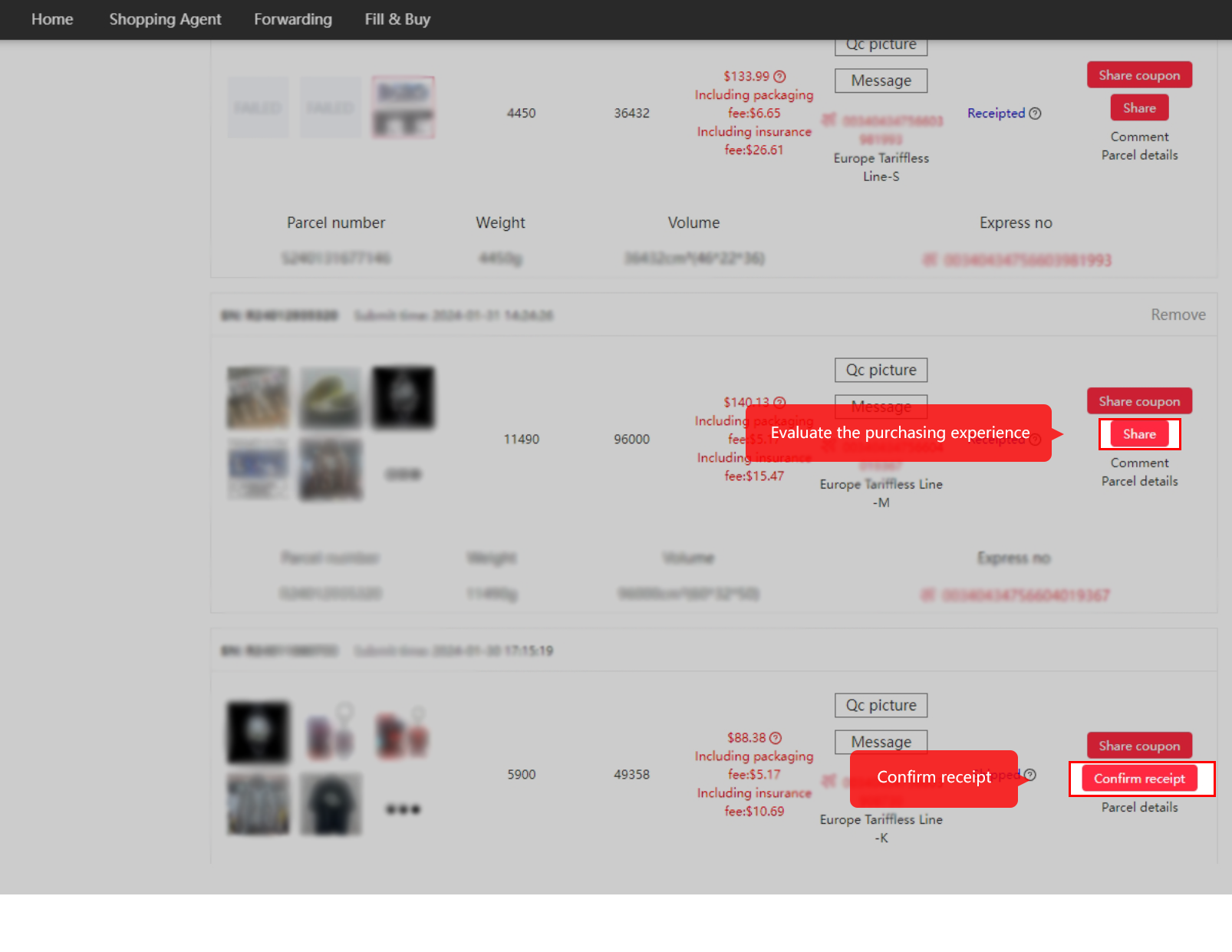
After receiving the package, click “Confirm receipt” on the “Parcel” page in the “User Center” and evaluate the purchasing experience to end this purchasing experience.
Tips:
1. shipping points are given after signing, 1 yuan = 1 point, and the points can be used to gift redemption.
Create Your Kakobuy Account
To get started and ensure you’re eligible for new user promotions, you need to register. Using a referral link is the best way to do this, as it often automatically applies bonus credits or discounts to your account.
👉 Click here to sign up via our exclusive invitation link: https://ikako.vip/r/tcewd
(Note: This is a personal referral link. By using it, you support our work and may receive a welcome benefit. All promotions are governed by Kakobuy’s official terms.)
Once you click the link, you’ll land on the registration page. We recommend signing up with your email address…
More Kakobuy Guides for First-Time Buyers
After learning the main purchasing steps, use these related guides to explore product listings, review warehouse QC photos, understand shipping costs, and find additional sourcing resources.
- A Buyer’s Quickstart Guide to First-Time Kakobuy Purchases — Review the main stages of a first order and the details worth checking before proceeding.
- How to Use QC Photos to Check Kakobuy Listings — Learn how to inspect available warehouse photos and identify visible issues before international shipping.
- How Shipping Weight Shapes Value in Kakobuy Finds and Decisions — Understand how package weight and shipping calculations affect the overall cost of an order.
- A Practical Guide to Real-Time Updating in Kakobuy Spreadsheets — Learn why checking current listing information matters when browsing product links.
- Ultimate Guide to Navigating Kakobuy Spreadsheets for Weidian — Explore another product-discovery workflow for listings that may require additional sourcing steps.
- Kakobuy spreadsheet Archive — Browse an additional archive featuring 10,000+ 2026 finds with QC links.